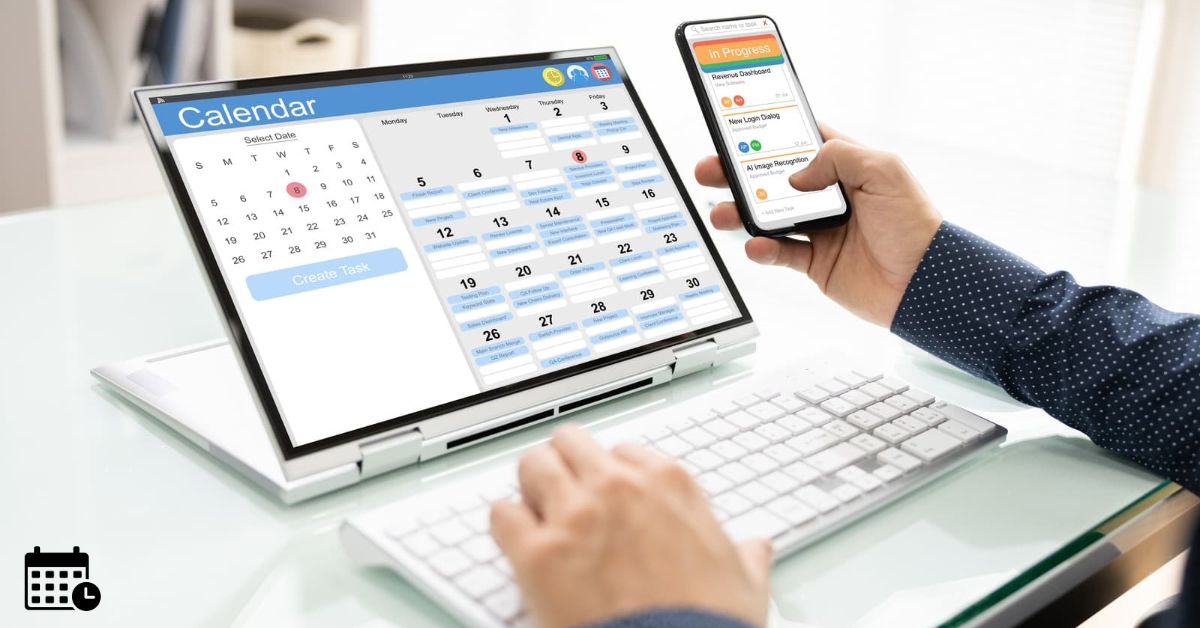
Most service businesses can schedule five technicians with a spreadsheet and a phone. At ten or fifteen technicians, the same approach starts to cost money. Office staff spend mornings reshuffling jobs, technicians cross town twice in one day, and customers wait past arrival windows nobody could have met.
A 2025 UK government study on technology adoption among SMEs found that small and medium-sized businesses recognise the importance of digital tools but can face challenges when choosing and adopting them. For service businesses, finding scheduling software that fits existing workflows is an important part of that decision.
Keep reading as the tools below suit a range of team sizes. Keep reading for a list of technician scheduling platforms used across HVAC, plumbing, electrical, cleaning and maintenance businesses.
| Software | Best use case | Starting monthly price |
| Timefold | Advanced routing optimization | Custom pricing |
| Joblogic | Planned and reactive maintenance | Custom pricing |
| Jobber | Home service scheduling and quotes | $49 |
| Housecall Pro | Residential trade dispatch | Custom pricing |
| Workiz | Phone-led, on-demand jobs | Custom pricing |
| ServiceM8 | Small Apple-device teams | $0 |
| Commusoft | Office-led trade scheduling | Custom pricing |
Technician Scheduling Software Features Compared
| Software | Scheduling Strength | Additional Features | Key Consideration |
| Timefold | Automated route and job optimization | Skills matching, scheduling constraints, replanning | Requires API integration |
| Joblogic | Planned and reactive maintenance scheduling | Asset management, job sheets, invoicing | Evaluate emergency dispatch workflows |
| Jobber | Recurring job scheduling | Quotes, invoicing, client hub | Test recurring bookings and reminders |
| Housecall Pro | Drag-and-drop scheduling and dispatch | Online booking, mobile payments | Check mobile usability |
| Workiz | Rapid dispatch for incoming service calls | Built-in phone and call tracking | Test peak-hour booking efficiency |
| ServiceM8 | Simple scheduling for small teams | Quotes, invoicing, customer communication | Check device compatibility |
| Commusoft | Office-managed technician scheduling | Customer portal, job records, invoicing | Review staff permissions |
 |
Timefold, an Optimization API for Routing and Scheduling Technicians
|
Timefold works out which technician goes to which job, and in what order, while weighing skills, locations, time windows and availability together. When an urgent call arrives, or someone calls in sick, it can replan the rest of the day, so a dispatcher doesn’t have to rebuild it by hand.
Planners can still review and adjust the plan before it goes out, and Timefold’s field service routing API can sit inside an existing job management system rather than replacing it.
Because it’s an API rather than a ready-made app, Timefold suits growing businesses with developer resources, or software providers adding scheduling to their own product.
If you’re assessing it, write down the rules your dispatcher applies today:
- Which technicians hold specific certifications
- Which customers need morning slots
- How long jobs in each area actually take, including travel
These are the input fields service route optimization depends on, and having them on paper makes any evaluation faster.
 |
Joblogic, Scheduling and Dispatch for Trade and Maintenance Contractors
|
Joblogic is a field service management platform for contractors who handle both planned maintenance and reactive callouts. Its scheduling and dispatch tools sit alongside quoting, job sheets, asset records and invoicing. Office teams can plan routine maintenance visits and emergency work from the same screen.
It fits businesses that hold maintenance contracts. Before booking a demo, pull a month of past jobs and count how many were planned and how many were reactive.
Then ask the vendor to show exactly how an emergency job slots in around existing planned visits, since that’s where manual schedules most often fall apart.
 |
Jobber, Scheduling and Quoting for Home Service Businesses
|
Jobber is built for home service teams such as lawn care, cleaning, HVAC and general contracting. It brings scheduling, quoting, invoicing and a client hub into one app.
For a business moving off paper or spreadsheets, field service scheduling software that also handles quotes and payments cuts down the number of systems the office has to juggle.
Use the free trial to set up your recurring work first, such as weekly cleans or seasonal servicing. Recurring visits show quickly whether a tool can handle your patterns without constant manual edits.
Check, too, how clients receive booking confirmations and reminders, as fewer no-shows is one of the easiest wins to measure.
 |
Housecall Pro, Dispatch and Scheduling for Residential Trades
|
Housecall Pro serves residential trades like plumbing, electrical and HVAC. It offers a drag-and-drop schedule, a dispatch view, online booking, and a mobile app technicians use on site for job details and payments.
When you trial any technician scheduling software, hand the mobile app to your least tech-confident technician first. If they can open a job, update its status and take payment without help, adoption across the team is likely to go smoothly.
Also test online booking against your availability rules, so customers can’t book slots your team can’t actually cover.
 |
Workiz, Scheduling for Small Trade and On-Demand Service Teams
|
Workiz is aimed at on-demand trades such as locksmiths, garage door repair, appliance repair and junk removal. Its scheduling and dispatch tools connect with built-in phone and call-tracking features, so a call can become a booked job quickly.
That makes it worth a look if most of your work arrives by phone on the same day. During the trial, be sure to time how long it takes to dispatch a technician from an incoming call.
Run the test at a busy hour, not a quiet one, since peak periods expose the gaps in any booking process.
 |
ServiceM8, Job Scheduling for Small and Owner-Led Teams
|
ServiceM8 is designed for small trade businesses, many of them led by an owner who still works in the field. It covers job scheduling, quoting, invoicing and customer communication, and it was built with Apple devices in mind.
Check what phones and tablets your team uses before you commit, as device fit affects daily use more than any feature list. It is also a good idea to map out how you will schedule if you add two or three more technicians within the next year.
A tool that suits a team of four should still make sense at a team of eight.
 |
Commusoft, Scheduling for Growing Trade Businesses with Office Staff
|
Commusoft is job management software for trades such as heating, plumbing, electrical, and fire and security. Its diary and scheduling tools sit alongside job records, invoicing and a customer portal, which suits businesses where office staff, not technicians, run the schedule.
Workforce planning is becoming increasingly important across construction-related industries. According to the U.S. Bureau of Labor Statistics, employment of electricians is projected to grow 9% between 2025 and 2035, with approximately 72,700 job openings expected annually.
As demand for skilled tradespeople grows, businesses need to think carefully about how they manage technician availability, job assignments and scheduling as their teams expand.
As your office team grows, look closely at user permissions.
Ask who can move jobs in the diary, who can only view it, and how changes are logged. Clear permissions prevent double bookings when two people are editing the schedule at once, and that problem tends to grow with headcount.
Frequently Asked Questions (FAQs)
What is technician scheduling software?
Technician scheduling software helps service businesses assign jobs, manage calendars, coordinate dispatch and track field work. Some platforms also handle quotes, invoices and customer communication.
How much does technician scheduling software cost?
Costs vary by provider, plan, user count and billing frequency. Compare total costs for dispatchers, field technicians, onboarding and integrations rather than looking only at the advertised entry price.
Can technician scheduling software reduce travel time?
Some tools can optimize routes or group nearby appointments, which may reduce unnecessary driving. Test your actual job locations and time windows to estimate the impact.
What should a small business test during a free trial?
Test recurring jobs, last-minute cancellations, technician availability, mobile job updates and customer reminders. Use real scheduling scenarios rather than sample data alone.
Does technician scheduling software integrate with accounting tools?
Integration options differ by platform and plan. Check whether invoices, payments and customer records sync with your existing accounting system, and whether any integration costs extra.
Shortlist Three Tools and Book Your First Demo
No single tool on this list suits every business. The right choice depends on your trade, your team size and how your work arrives. Pick three options that match your current setup, then run one week of actual bookings through each trial or demo account.
Compare the results on three measures: total travel time, missed arrival windows, and how easily the schedule can be changed mid-day. Those numbers will tell you more than any feature page. Once you have a clear front-runner, book a demo with that vendor and bring your own job data so you can see how it handles your team’s actual workflow.